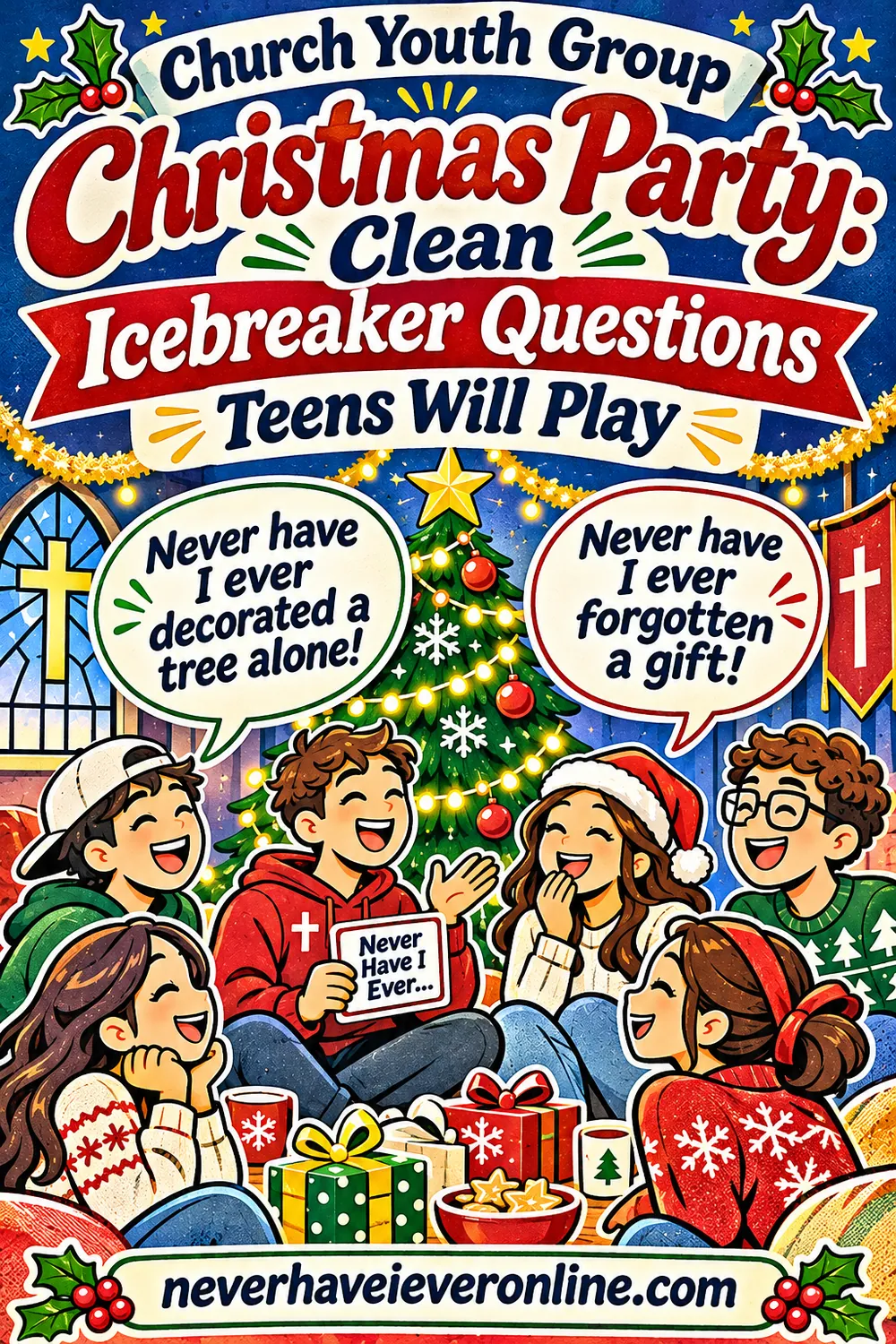
Church Youth Group Christmas Party: Clean Icebreaker Questions Teens Will Play
🎮 Play a round with this list
Read it out. Anyone who has done it puts a finger down.
The easiest clean youth group Christmas party game is Never Have I Ever on a big screen: open the free game, pick Christmas with the Clean & Fun vibe, and start reading statements the moment the first students walk in. Everyone holds up ten fingers, drops one for each thing they've done, and late arrivals can jump in mid-round without missing anything. There are no supplies to buy, no teams to set up, and no awkward pause while you wait for a full room.
You can run it all from the free Never Have I Ever online game on a laptop hooked to your youth room TV or projector. Below you'll find the exact settings, a full party run sheet, setups that work for 10 to 40 teens, 45 clean Christmas statements you can read without worrying, leader scripts, and fixes for the problems youth leaders actually run into.
Why This Game Works as Teens Arrive
Every youth leader knows the first 15 minutes of a party. Five students show up early and stand by the snack table. Ten more trickle in over the next twenty minutes. A couple of newcomers hover by the door. If you start a big game too early, half the group misses the rules. If you wait, the early arrivals drift to their phones and the energy dies before it starts.
Never Have I Ever solves that gap better than most icebreakers:
- No rules to miss. Late arrivals pick up the game in about ten seconds by watching. "Hold up ten fingers, put one down if you've done it." That's it.
- No teams to rebalance. Everyone plays as themselves, so a new student walking in doesn't break anything.
- Everyone plays every card. There's no waiting for a turn. A shy freshman and a loud senior both drop fingers on the same statement.
- It sparks real conversation. When six students put a finger down for "Never have I ever been in a Christmas pageant," somebody always has a story about the year a shepherd tripped over a costume. That's the community you're trying to build.
- It's clean when you set it up right. The free game has a Clean & Fun setting meant for all ages, and you control every card that gets read aloud.
- It's free and takes no prep. One laptop, one screen, and you're ready.
It also bridges nicely into the rest of your night. Many statements touch on Christmas traditions, church programs and serving others, which gives you an easy handoff into a short devotional or a service project later in the evening.
What you need
| Item | Notes |
|---|---|
| A laptop, tablet or phone with a browser | The game runs in the browser, no app or account |
| A TV or projector | So the whole room can read the card |
| A cable or screen-casting setup | Test it before students arrive |
| One leader to run the game | Ideally a second leader to greet newcomers |
| Ten fingers per student | Or paper scorecards for a longer game |
| 10 to 20 minutes | Longer if it's the main event |
How to Do It With the Free Tool
Open the free Never Have I Ever game on your laptop, plug into the TV, and follow these steps. It takes about a minute.
Step 1: Choose the Christmas theme
The first screen says "Pick your theme." You'll see a big "Just Play" button at the top, then three groups: Occasions, Who's In The Room, and Holidays. Tap Christmas in the Holidays group.
The Christmas set includes holiday statements about peeking at presents, ugly sweaters, cookies and decorations, and it mixes in everyday statements to round out each set. That mix is helpful for youth groups, because students from every kind of background can play along.
You've got one more good option. Under Who's In The Room, the Teenagers theme is marked as family-safe on the site. When you pick it, the game hides the Deep & Personal vibe and only offers the lighter ones. It deals everyday statements rather than holiday ones, so it's a great second round once you've had your fill of Christmas.
Step 2: Choose Clean & Fun
Next, the game asks "What's the vibe?" Tap Clean & Fun. The site describes it as safe for all ages, including families, kids and coworkers. This is the right choice for a church event.
You'll also see Funny & Silly, which leans into embarrassing moments, and, for the Christmas theme, Deep & Personal. For a youth party, stick with Clean & Fun. Deep & Personal statements touch on loss and big feelings, which belong in a small-group setting with a leader, not in a loud party room.
Press Let's play!
Step 3: Put it on the big screen with Party mode
At the top of the game screen there's a Party mode button. It fills the screen with the card in large text so the back row can read it from across the room. To leave Party mode, press Escape or tap the Exit button in the corner.
Walk to the back of the room and check that you can read it. If the card is hard to see, dim the lights near the screen or move the front row back a couple of feet.
Step 4: Read, drop fingers, tap Next
Each card shows "Never have I ever..." in small letters with the statement in big text below. Read it aloud with energy. Students who have done it drop a finger. Ask for a quick story if a lot of hands go down.
Tap the card or the Next button to move on. Use Prev if someone asks to see the last one again.
Step 5: Finish a round or start fresh
A round is about 20 cards. At the end, you'll see "Round Complete!" with two buttons: Play Again, New Questions for another set in the same theme, or Choose Another Theme to switch, for example from Christmas to Teenagers.
Step 6: Preview and skip like a pro
Here's the most important habit for a church leader: you're the filter. If a card comes up that doesn't fit your group, simply tap Next without reading it out loud. Students reading the screen won't think twice if you move quickly.
A preview helps too. A day or two before the party, run through a round on the same laptop you'll use at church. The game remembers statements you've already seen on that browser for that theme and vibe and favors new ones next time, so your party round will be mostly fresh. You'll still know the style of what's coming, and you'll know whether to keep Clean & Fun or switch themes.
For more ideas on keeping every round clean, the site has a full list of clean Never Have I Ever questions you can read straight from your phone.
🎄 Play hundreds more Never Have I Ever statements free online, no download needed
▶️ Play Free NowA 90-Minute Youth Christmas Party Run Sheet
Most youth Christmas parties land somewhere between an hour and two hours. Here's a 90-minute plan with Never Have I Ever as the arrival game. Stretch or squeeze the middle to fit your night.
| Time | Activity | Leader notes |
|---|---|---|
| 6:30 | Doors open, Never Have I Ever on screen | Game is already running on Christmas, Clean & Fun. Greeters welcome newcomers. |
| 6:30 to 6:50 | Arrival rounds | Keep it loose. Students join as they walk in. Quick stories only. |
| 6:50 to 7:00 | Official welcome and announcements | Pause the game on its current card. Crown a "most mysterious" winner. |
| 7:00 to 7:30 | Main game or activity | A bigger group game, gift exchange, or craft. |
| 7:30 to 7:45 | Snacks and hangout | Put the game back up on the screen for anyone who wants to keep playing. |
| 7:45 to 8:00 | Short devotional | Use the "transition script" below to connect to the Christmas story. |
| 8:00 | Prayer and goodbyes | Thank your volunteers out loud. |
Why the game goes first
The first 20 minutes are when newcomers decide whether they feel welcome. A game that's already going, with a leader cheering every finger drop, tells a nervous student, "You can just join in." Nobody has to be picked for a team or explain how they know anyone.
Planning timeline
Three to four weeks before - Set the date and put it on the church calendar. - Ask the tech volunteer which cable or casting setup works with the youth room screen. - Recruit at least one greeter for every ten expected students.
One week before - Do a full test: laptop, cable, screen, game in Party mode. Check that the room's speakers aren't needed (the game is silent, so they aren't). - Run one practice round on Christmas, Clean & Fun, on the same laptop. Note anything you'd skip. - Print a few copies of the backup statement list below in case the screen fails.
The day of the party - Arrive 30 minutes early. Plug in the laptop and bring a charger. - Open the game, pick Christmas and Clean & Fun, and press Let's play. Turn on Party mode. - Brief your greeters: "Point every new arrival at the screen and hold up ten fingers with them."
After the party - Thank volunteers by text or in person. - Jot down which statements got the biggest laughs. They make great openers for January youth nights.
Setups That Work for 10 to 40 Teens
The classic "hold up ten fingers" format works for any group size, but bigger groups have more fun with a little movement. Pick the setup that matches your room and your numbers.
| Setup | Group size | How it works | Best moment to use it |
|---|---|---|---|
| Fingers circle | 10 to 15 | Everyone sits in a loose circle facing the screen and drops fingers | Arrival game, small groups |
| Stand up, sit down | 15 to 40 | Everyone stands. If you've done it, sit down. Last ones standing win the round. | High-energy start, big rooms |
| Hot seat swap | 12 to 25 | Chairs in a circle, one fewer than players. If you've done it, find a new chair. Person left standing reads the next card. | Main game after arrivals |
| Step forward line | 15 to 40 | Everyone lines up across the room. Step forward if you've done it. First to the wall wins. | Gym or fellowship hall |
| Table teams | 20 to 40 | Groups of five or six at tables. Each table tallies total fingers down. Fewest wins. | Party with food at tables |
| Leader small groups | 25 to 40 | Leader of each small group runs the game on a phone for their group | When the room is too loud for one screen |
Small group of 10 to 15
Sit in a circle facing the screen. Let students take turns reading the card aloud while a leader taps Next. This gives teens a little ownership and keeps the leader from talking the whole time.
Medium group of 15 to 25
The hot seat swap is a youth room favorite. Set up a circle of chairs with one fewer chair than players. The person standing in the middle reads the card. Everyone who has done it has to leave their chair and find a new one, and they can't take the chair right next to them. Whoever ends up without a chair reads the next card. It gets loud, it gets silly, and it mixes up who sits next to whom, which is great for breaking up cliques.
Safety note: clear bags and coats out of the circle, and set a "walk, don't dive" rule before you start.
Large group of 25 to 40
Stand up, sit down works in any room. Everyone starts standing. Read the card. Anyone who has done it sits. After eight to ten cards, crown the last students standing and start a new round with everyone back up. This uses the same card for 40 people at once and needs no scorekeeping at all.
In a gym or fellowship hall, try the step forward line. Students line up along one wall. Each time they've done it, they take one step forward. The first one to reach the far wall (or a tape line) wins. It's very visual and great for photos, if your church allows them.
When the room is too loud for one screen
If you have 30 or more students and your space echoes, split into small groups of six to eight with one adult leader each. Every leader opens the free game on their phone, picks Christmas and Clean & Fun, and runs it at their table. Each leader can skip cards as needed. Bring everyone back together for the winner announcements.
For more ideas on running games with big crowds, see the site's guide to Never Have I Ever for large groups.
45 Clean Christmas Statements for Youth Group
The game deals cards for you, but every leader should have a backup list. Use these if the screen fails, if you want a few warm-ups before the game is up, or if you'd rather read from your phone. Every statement is clean and kind, and none of them single out a student.
Christmas at home
- Never have I ever woken up before 6 a.m. on Christmas morning.
- Never have I ever shaken a present to guess what was inside.
- Never have I ever fallen asleep on Christmas Eve while trying to stay awake.
- Never have I ever untangled Christmas lights for a whole hour.
- Never have I ever helped decorate the tree and broken an ornament.
- Never have I ever opened a present early and rewrapped it.
- Never have I ever worn matching pajamas with my family.
- Never have I ever had a real Christmas tree in my house.
- Never have I ever eaten cookie dough before it was baked.
Church Christmas
- Never have I ever been in a Christmas pageant or nativity play.
- Never have I ever played a sheep, shepherd or angel in a church play.
- Never have I ever forgotten a line in a church program.
- Never have I ever lit a candle at a Christmas Eve service.
- Never have I ever read the Christmas story from Luke 2 out loud.
- Never have I ever sung in a church choir at Christmas.
- Never have I ever helped decorate the church for Christmas.
- Never have I ever fallen asleep at a late-night Christmas service.
- Never have I ever counted down an Advent calendar every single day.
Carols and music
- Never have I ever gone caroling door to door.
- Never have I ever sung the wrong words to a carol with full confidence.
- Never have I ever played a Christmas song on an instrument.
- Never have I ever known every verse of "Silent Night."
- Never have I ever hummed "Joy to the World" in July.
Winter fun
- Never have I ever built a snowman taller than me.
- Never have I ever played in the snow until my fingers went numb.
- Never have I ever gone sledding at night.
- Never have I ever been in a snowball fight that got out of hand.
- Never have I ever spent Christmas somewhere it was warm and sunny.
- Never have I ever made a snow angel.
- Never have I ever had a white Christmas.
Gifts and giving
- Never have I ever given a homemade gift.
- Never have I ever helped pack food or gifts for a family in need.
- Never have I ever wrapped a gift so badly it looked like a pillow.
- Never have I ever bought a gift for a friend with my own money.
- Never have I ever forgotten where I hid a present.
- Never have I ever played a gift swap game where presents get stolen.
- Never have I ever written a thank-you note for a Christmas gift.
Christmas break
- Never have I ever slept until noon on the first day of break.
- Never have I ever worn a holiday sweater to school.
- Never have I ever made a gingerbread house that fell apart.
- Never have I ever stayed up until midnight on New Year's Eve.
- Never have I ever traveled more than a day to see family at Christmas.
- Never have I ever finished a whole puzzle over Christmas break.
- Never have I ever baked cookies for a neighbor.
- Never have I ever spent a whole day of break in pajamas.
Want more? The site's Never Have I Ever Christmas edition has a longer holiday list you can mix in.
Leader Scripts for the Night
Teens can smell a forced icebreaker from across the room. These short scripts keep things natural. Use them as written or make them your own.
As students walk in
"Hey, welcome! Grab a snack and hold up ten fingers. We're playing Never Have I Ever. If you've done what's on the screen, put a finger down. That's the whole game."
Say it to every new arrival, even the regulars. Newcomers notice when everyone gets the same warm welcome.
Starting the first card
"Alright, everybody, ten fingers up! Here's the first one: Never have I ever... shaken a present to guess what was inside. Oh wow, that's basically all of you. Who actually guessed right?"
Asking for a story the easy way
"Only two fingers went down on that one. Okay, I need to know. Who wants to tell it?"
Give it a few seconds. If nobody jumps in, laugh and say, "Mystery stays a mystery. Next card." Teens relax when they see that passing is completely fine.
Leaders go first
On any statement that might feel a little vulnerable, like forgetting a line in a church program, tell your own story first. A youth pastor admitting they froze as a shepherd in fourth grade does more for a nervous freshman than any pep talk.
Pausing for announcements
"Freeze! Look at your hands. Anyone with eight or more fingers still up, stand up. You are officially our most mysterious people tonight. Give them a hand. Okay, sit down, it's announcement time."
Transition to the devotional
"We heard a lot of Christmas stories tonight: pageants, carols, early mornings and some very bad gift wrapping. Here's one more story, the one that started all of this." Then move into your reading. It's a soft, natural handoff, and it ties the fun part of the night to the reason you're gathered.
Keeping It Clean, Kind and Welcoming
A clean game isn't just about the words on the screen. It's about how the room treats each other. A few ground rules make a big difference.
Three ground rules to announce
- Your finger, your choice. Nobody has to explain why a finger went down, and nobody gets teased for having done something or not.
- No guessing about others. Don't call out "You've totally done that!" at another person. Everyone answers only for themselves.
- Leaders run the screen. Only a leader taps Next, so the cards stay in good hands.
Screening tips for leaders
- Stick with Christmas or Teenagers and the Clean & Fun vibe for the whole night.
- Do a practice round on the same laptop a few days before.
- If any card comes up that doesn't fit your group, tap Next without reading it. Do this calmly and quickly.
- Avoid statements about money, family situations, grades or appearance from your own backup list, too. Some students carry hard things at Christmas that you might not know about.
- Keep the game short when the mood calls for it. Fifteen great minutes beat forty tired ones.
Students who don't celebrate, or find Christmas hard
Not every teen in your room grew up with Christmas traditions, and some have a hard season at home. Mix in winter and school-break statements, keep personal follow-up questions light, and let anyone sit out a round without comment. A leader sitting beside a quieter student and playing alongside them is often all it takes.
Troubleshooting
| Problem | What's happening | Quick fix |
|---|---|---|
| Back row can't read the card | Party mode is off or the screen is too far | Turn on Party mode, dim the lights near the screen |
| Students shout out other people's answers | Excitement, not malice | Remind everyone of rule two, then read the next card fast |
| Middle schoolers get too wild during hot seat | Too much running | Switch to stand up, sit down for a round |
| A newcomer looks lost | Arrived mid-round | Greeter sits next to them and says, "Ten fingers, put one down if you've done it" |
| Same cards as the practice run | Practice was on another device or browser | Practice on the same laptop and browser you'll use at church |
| Screen or cable fails | Tech hiccup | Read from the printed backup list while someone fixes it |
| Game drags | Too many long stories | Limit to one story per card, keep a quick pace |
| A card doesn't fit your group | Every set has a few that won't land everywhere | Tap Next and keep going |
Variations by Age Group
Junior high and high school students play the same game in very different ways. Adjust the setup to match the age in your room.
| Age group | Best setup | Pace | Leader tip |
|---|---|---|---|
| Middle school, grades 6 to 8 | Stand up, sit down, or hot seat swap | Fast, about 20 seconds per card | Keep them moving. They love the physical versions. |
| High school, grades 9 to 12 | Fingers circle or table teams | Slower, room for stories | Let students read cards aloud and run the scoring. |
| Mixed ages | Stand up, sit down | Medium | Pair older students with younger ones as "captains." |
| Leaders and volunteers | Play along with the students | Same as the group | Your stories make it safe for students to share. |
Middle school
Younger students want to move. The hot seat swap and stand up, sit down versions burn off energy before you ask them to sit for a devotional. Keep stories to one sentence each, or skip stories altogether and make it a pure speed round.
High school
Older teens enjoy the stories more than the scoring. Slow down, pull up a couch, and let them take turns reading the screen. You might be surprised how much a senior opens up after "Never have I ever helped pack food for a family in need."
Mixed groups
If your youth group spans sixth to twelfth grade, use stand up, sit down so everyone plays on equal footing. Ask a few older students to sit with the younger ones and model good sportsmanship.
If your group is getting bigger every year, the site's guide to Never Have I Ever for church small groups has gentle, church-life statements that also work for adult volunteers, and the Never Have I Ever questions for teens page has more everyday ideas for regular youth nights.
Get Your Youth Christmas Party Started
You don't need a big budget, a box of supplies or hours of planning. You need one screen, one leader, and a game that's already running when the first student walks in. Open the free Never Have I Ever game, pick Christmas, choose Clean & Fun, and turn on Party mode. Your arrival time is solved, your newcomers have something to join, and your night is off to a warm start.
🎮 Ready for the next round? Let the free game pick the next statement for you
▶️ Play Never Have I Ever❓ Frequently Asked Questions
Is the game really clean enough for church?
Pick the Christmas theme with the Clean & Fun vibe, which the site describes as safe for all ages. Still, preview a round on the same laptop before the party and tap Next on anything that doesn't fit your group. As the leader, you see each card first and decide what gets read aloud.
Do students need phones or an app to play?
No. Only the leader needs a device, and the game runs in a web browser with no app, account or download. Students just watch the big screen and use their fingers to keep score.
How many teens can play at once?
Any number. Ten to fifteen can sit in a circle with fingers up, while 25 to 40 do well with stand up, sit down or a step forward line. For very loud rooms, split into small groups with a leader running the game on a phone at each table.
How long should we play?
As an arrival game, 15 to 20 minutes is about right. A round is around 20 cards, and you can stop anytime. If it's the main game of the night, two or three rounds with a different setup each time keeps it fresh.
What's the best theme for a youth Christmas party?
Christmas under Holidays with the Clean & Fun vibe is the best first round. For round two, try Teenagers under Who's In The Room, which hides the Deep & Personal vibe and gives you everyday statements teens relate to.
Can we use this for a mixed middle and high school group?
Yes. Use the stand up, sit down version so everyone plays together, and keep stories short. Older students can act as captains for younger ones, which helps the whole room feel like one group.
What if a newcomer doesn't know anyone?
That's where this game shines. Have a greeter walk them in, sit beside them, and say, "Ten fingers up, put one down if you've done it." They're playing within seconds, and they'll hear stories from the group that make the room feel familiar.
Can we keep playing after the party?
Absolutely. The game remembers which statements you've seen on that browser and favors new ones next time. It also makes a handy five-minute opener for regular youth nights through the winter.